

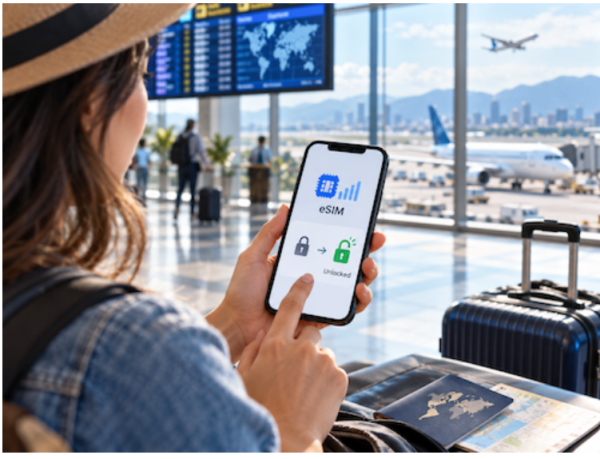
If you are planning a trip abroad, this question matters more than you think. Since 2022, every iPhone 14 and newer sold in the United States ships without a physical SIM tray, so eSIM is no longer optional here. The short answer is yes, your phone usually needs to be unlocked to use a third party eSIM. There is one important exception, and knowing it can save you a ruined vacation.
Does My Phone Have to Be Unlocked to Use an eSIM From Another Carrier?
Yes, in almost every case. A locked phone is tied to the network that sold it, and that lock blocks outside eSIM profiles. To use your iPhone with another carrier when traveling internationally, your iPhone cannot be locked to a carrier.
The same rule applies to Android. Any multi-SIM phone must be carrier unlocked to use another carrier’s SIM. So if you want a travel eSIM from a provider that is not your home carrier, an unlocked device is the baseline requirement.
What Is a Locked Phone, Exactly?
A locked phone refers to a device that is restricted to only work with a specific mobile carrier’s network. This is standard in the US market. This is often the case when a phone is purchased through a carrier under a contract or installment plan.
Carriers like Verizon, AT&T, and T-Mobile lock subsidized phones until you meet their terms. Usually that means paying off the device in full and completing a minimum active period. Until then, the lock stays on.
The One Exception Worth Knowing
A locked phone can still run an eSIM, but only in a narrow situation. A locked phone can support eSIM, but only with the mobile network provider it is locked to. In other words, your carrier can add its own eSIM line to your locked device.
What it cannot do is accept a competitor’s profile. Even if your phone supports eSIM technology, you won’t be able to activate an eSIM from another provider unless the device is fully unlocked. This is the detail that trips up most travelers at the airport.
How to Check If Your Phone Is Unlocked
You do not need to call anyone to find out. On an iPhone, the setting is built in and takes under two minutes.
- Open the Settings app.
- Tap General, then About.
- Look for the carrier lock line. If your iPhone is unlocked, “No SIM Restrictions” will appear.
On a Samsung or other Android phone, the test is different. If you only see one carrier, or if your phone doesn’t let you select another, your Samsung is likely locked. If you see a list of different networks you can choose from, your phone is unlocked. You can find this under network selection in your settings.
Why Being Unlocked Changes Your Trip
A locked phone does not just block a competing eSIM. It traps you on a single network even when the signal is weak. If your phone is locked to a specific carrier, you will be stuck with one network, even if it has the worst signal.
An unlocked phone flips that logic. It can hunt for the strongest tower and switch automatically, which matters most when you are in a foreign city with no idea which network performs best.
How to Unlock Your Phone Before You Travel
Do not wait until the day before departure. Unlocking can take time, and carriers each have their own hoops.
- Confirm your device is fully paid off and the account is in good standing.
- Request an unlock through your carrier’s app, website, or support line.
- Wait for confirmation, then restart the phone and recheck the lock status.
Once you see that your device is unlocked, you can install a travel plan in minutes. A global eSIM provider like Holafly lets you set up data for your destination before you ever board the plane, so you land already connected.