


Most DTC brands don’t have a media buying problem; they have a creative supply problem. You can’t test ten hooks when a shoot takes two weeks to produce three videos. The fastest fix is to use a text to video generator to turn each hook, angle, and offer into a prompt, then generate variants in minutes instead of booking a studio. This guide shows what to test, how to write prompts, and a two-week plan.
How Do You Test Ad Hooks With a Text to Video Generator?
Pick one offer, change one variable per round, generate 5–10 variants, and put equal budget behind each.
- Choose one product and one offer so you know what drove the result.
- Write each variant as a prompt covering the subject, action, setting, camera movement, and mood. Keep the product description identical across variants.
- Shortlist the strongest clips, then add captions and price overlays with an AI video editor so every variant carries the same branding.
- Launch with equal budgets in a fixed window, and judge on hook rate and cost per result. Feed the winning pattern into the next batch.
If you sell on Shopify, you can also skip prompt writing for a first draft. Paste a product URL into Marketing Studio by Pollo AI, then test a Problem & Solution video against an Unboxing one.
What Should You Test First in Your Video Ads?
Test the first 3 seconds first. The hook decides whether anyone sees the rest of the ad.
| Variable | Example variants | What you learn |
| Hook | Problem close-up vs. surprising result vs. question | What stops the scroll |
| Angle | Price, convenience, social proof | Which pain point sells |
| Format | UGC-style, demo, lifestyle, unboxing | What your audience trusts |
| CTA | “Shop now” vs. “Get 20% off today” | What earns the click |
Change one row at a time. If you change the hook and the format together, you can’t tell which one moved the result.
How Do You Write a Text to Video Prompt in Pollo AI?
Name one subject, one action, the setting, the camera, and the lighting, then keep it to a single shot. Here are two examples for a fictional skincare brand:
- Problem hook: “Close-up of a woman in her 30s looking at her dry cheek in a bathroom mirror, soft morning light, handheld camera, slight push-in.”
- Product demo: “A white serum bottle on a marble counter, a hand presses the dropper, a drop falls in slow motion, shallow depth of field, bright clean lighting.”
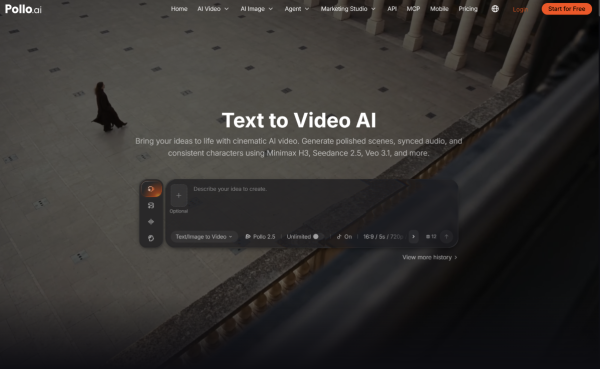
In Pollo AI, the workflow takes three steps:
- Choose your model from the video generator.
- Paste your prompt and set the duration and aspect ratio (9:16 for Reels and TikTok).
- Click Create, compare the results, and keep the strongest.
Keep the prompt focused on visuals, and add logos and price overlays afterward.
How Can Pollo AI Help You Scale the Winners?
Reuse what already works instead of starting from scratch each time. Two features are useful at this stage:
- Pollo Recast turns the motion and camera work of a reference video into a new video with your own product. You can reuse one strong product-demo move for the next product in your catalog.
- Pollo Director gives you scene-by-scene control over the winning concept, so you can compare takes and keep characters consistent.