

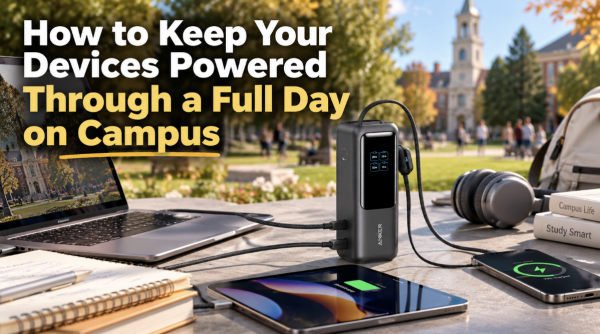
A college phone can serve as a room key, transit pass, payment card, camera, map, authenticator, and connection to family—all before it is used for a call. When a long day moves from an early lecture to the library, a club meeting, and an evening shift, a portable battery charger can keep those functions available without tying a student to the nearest wall outlet. The best choice is not automatically the largest battery. It is the model that provides enough reserve, the right output and ports, and a form factor that genuinely fits a backpack, dorm routine, and travel schedule.
Why Campus Life Is Hard on Batteries
Students use devices in short, intensive bursts throughout the day. A phone may stream audio on the walk to class, display digital course materials, scan a QR code, run navigation, share a hotspot, and handle video calls. Weak cellular coverage can increase power use because the phone works harder to maintain a signal. Cold weather, high screen brightness, background apps, and an aging battery can shorten runtime further.
Access to outlets is uneven. Newer study spaces may have sockets at every seat, while a crowded lecture hall or older library has very few. Even where a socket exists, leaving a phone on the floor or across a room is inconvenient and risky. A battery in a bag allows the device to stay with its owner and continue working during group projects, events, or commuting.
Start With the Devices You Actually Carry
Before comparing products, list the equipment used on a normal campus day. A phone and wireless earbuds require far less energy than a tablet, handheld console, camera, or USB-C laptop. Identify the charging connector for each device and note which ones may need power at the same time.
Capacity is usually stated in milliamp-hours, or mAh. A small bank around 5,000mAh is suited to emergency phone top-ups and minimal carry. About 10,000mAh often provides a practical balance for a full day. Larger models can support several devices or longer trips, but the extra size and weight should earn their place in the bag. Conversion losses mean the full rated capacity does not arrive at the phone, so students should treat capacity as a comparison measure rather than a promise of exact recharges.
Anker’s lineup illustrates how different student routines lead to different products. A pocket-size or magnetic model may be enough for a phone between classes; a built-in-cable design reduces forgotten accessories; and a higher-output, multiport battery better fits a student who also carries a tablet or laptop. Capacity, output, dimensions, and included accessories still need to be checked on the exact model. For students carrying a laptop as well as a phone, the Anker Laptop Power Bank (25K, 165W) is one example: it has a 25,000mAh capacity and built-in and retractable USB-C cables. Its USB-C output is rated at up to 100W for a single device; check the laptop’s charging requirements and the power bank’s output allocation when charging multiple devices.
Output Matters as Much as Capacity
Output wattage determines how quickly a compatible device can charge and whether larger devices can charge at all. A bank designed for basic phone charging may not meet a laptop’s minimum requirement. USB Power Delivery allows compatible USB-C devices and chargers to negotiate an appropriate power level, but the bank, cable, and device must all support the necessary profile.
Fast charging is most useful during short windows: twenty minutes between classes, a bus ride, or a lunch break. It does not mean the device draws peak power throughout the session. Phones reduce charging speed as they fill or warm. For overnight dorm charging, maximum speed matters less than safe, reliable operation.
If two devices are connected, check how the bank divides its total output. A product may advertise a high single-port maximum that falls when another port is active. Students who plan to charge a laptop and phone together should consult the exact port-allocation information. A second port is valuable only if it can provide useful power under real conditions.
USB-C, USB-A, and Built-In Cables
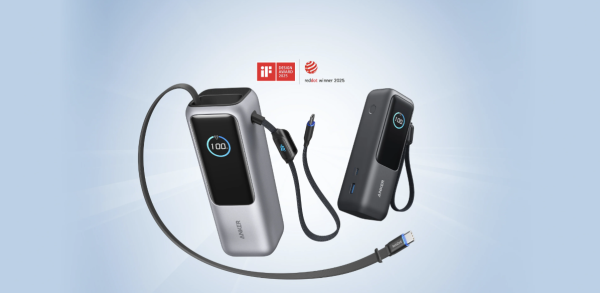
USB-C can simplify a student’s kit because one suitable cable may recharge the bank and charge a phone, tablet, or laptop. Still, identical connectors do not guarantee identical power. A cable rated for basic charging may limit a high-output bank. For laptop use, choose a cable rated for the required wattage and follow the device manufacturer’s guidance.
USB-A remains relevant for older earbuds, lights, small fans, cameras, and cables already in a dorm drawer. A bank with both USB-C and USB-A can bridge old and new equipment. Built-in cables reduce the chance of arriving at class without the necessary lead, though a detachable cable is easier to replace if damaged. Some students will value convenience; others will prefer modularity.
Magnetic wireless charging can be helpful when a compatible phone needs a quick top-up while it remains usable. It also produces more conversion loss and heat than a wired connection. A cable is generally the better choice when energy efficiency or speed matters. Magnetic alignment, case compatibility, and the phone model should all be checked before purchase.
Weight and Shape Determine Whether It Gets Carried
Students already carry books, a water bottle, a laptop, and perhaps sports equipment. A heavy battery chosen for a theoretical weekend emergency may be left in the dorm on ordinary days. Compare actual weight and dimensions, not product photos. A slim bank may fit beside a phone in a jacket pocket; a high-capacity laptop model usually belongs in a padded backpack compartment.
Think about cable direction and port placement. A bank that can rest flat in a bag while charging a device is easier to manage than one with cables under constant strain. Rounded edges protect other items. A percentage display helps a student know whether the bank itself needs charging before leaving. None of these features replaces adequate power, but they affect daily usefulness.
A Practical Campus Charging Routine
The simplest routine is to recharge the bank at the same time each day, ideally alongside the phone. A large battery may require a higher-power wall charger to refill quickly; using a low-power adapter can turn an overnight task into an all-day one. Students should verify the bank’s input capability and pair it with a suitable charger.
Keep one dependable cable with the bank rather than borrowing unknown cables. Test the setup before an exam, trip, or event. If the bank is shared with roommates, label it and agree on where it is returned. A shared charging shelf can reduce clutter, but lithium batteries should remain uncovered, dry, and away from heaters or direct sunlight.
For students who commute, topping up during transit may be more useful than waiting until the battery is nearly empty. Keeping the phone in a comfortable temperature range and lowering screen brightness can extend both phone and bank runtime. Power saving is part of the solution; the battery is a reserve, not an excuse to ignore inefficient settings.
Safety in Dorms and Backpacks
Lithium-ion products should come from traceable manufacturers with clear specifications and support. Protection systems can guard against problems such as overcurrent, excessive voltage, short circuits, and unsafe temperature. Anker’s MultiProtect and model-specific temperature monitoring are examples of features worth checking, but they still need to be paired with compatible equipment and responsible use.
Do not use a power bank that is swollen, punctured, wet, unusually hot, or damaged after a severe drop. Avoid loose metal objects around exposed connectors. Do not charge the bank under bedding, inside a tightly packed bag, or beside a radiator. Residence-hall rules may address high-capacity batteries, extension cords, and charging locations; students should follow local policy.
At end of life, a battery should go to an approved electronics or battery-recycling program, not a trash bin. Many campuses hold collection events or maintain recycling points. Responsible disposal protects waste workers and allows valuable materials to be recovered.
Travel Home, Study Abroad, and Air Travel
A bank that works on campus often becomes essential during holiday travel. Air-travel rules for spare lithium batteries generally require them in cabin baggage and use watt-hours to define limits. Airline and national policies can change, so students should check their carrier and route before packing. A clear watt-hour marking on the product is helpful.
For study abroad, the power bank itself normally charges through a USB power supply, while the wall charger must be compatible with local voltage and plug standards. A passive plug adapter does not convert voltage. Modern USB chargers often accept a broad input range, but the label must be checked. Keep important batteries accessible during security screening and protect ports from short circuits.
Matching a Battery to Common Student Profiles
A phone-first commuter usually needs a compact bank with one reliable USB-C output. A resident student who studies around campus may prefer roughly 10,000mAh and two ports for a phone and earbuds. A media or design student carrying a tablet, camera, or high-performance laptop needs higher output and capacity, plus cables rated for the job.
An athlete or field researcher may prioritize durability, a secure pouch, and predictable operation in variable conditions. A student journalist may need to keep a phone, recorder, and camera working through an event. For each profile, the right bank is the smallest one that comfortably covers the longest realistic day—not the most impressive specification in the catalog.
Budgeting Without Buying Twice
Price matters, but the lowest-cost unit is not economical if it cannot charge the intended laptop, lacks the needed port, or degrades quickly. Compare the cost of the complete setup, including a suitable wall charger and cable. Read the warranty terms and confirm that support information is accessible.
Avoid paying for features that do not fit the routine. A smart display, wireless charging, or very high output can be useful, but not for everyone. Conversely, buying a slow phone-only model and replacing it a month later for tablet or laptop support wastes money. A short needs list—devices, wattage, capacity, ports, size, and budget—keeps the decision grounded.
Common Mistakes to Avoid
Students often assume all USB-C equipment is interchangeable, overestimate the number of full charges from a capacity figure, or forget that output can be shared across ports. Others buy a large bank, then leave it behind because of the weight. Using an under-rated cable can also hide the performance of a capable charger.
Another mistake is waiting until finals week to test new equipment. Connect every intended device, confirm fast charging where expected, check the battery display, and learn how the power button works. A power bank should reduce uncertainty. Familiarity is part of reliability.
The Best Choice Is the One That Fits the Day
A portable charger earns its place in a student’s bag when it matches real needs. Capacity should cover the expected time away from an outlet. Output and cables should suit the devices. Size should be comfortable enough for daily carry, and safety information should be clear.
The final decision should come from the exact specifications and the student’s own schedule. Chosen carefully and charged routinely, a battery bank protects access to learning, transportation, communication, and campus life without becoming another heavy gadget that stays in the dorm.